


One Address, One Application, One Assessment Area
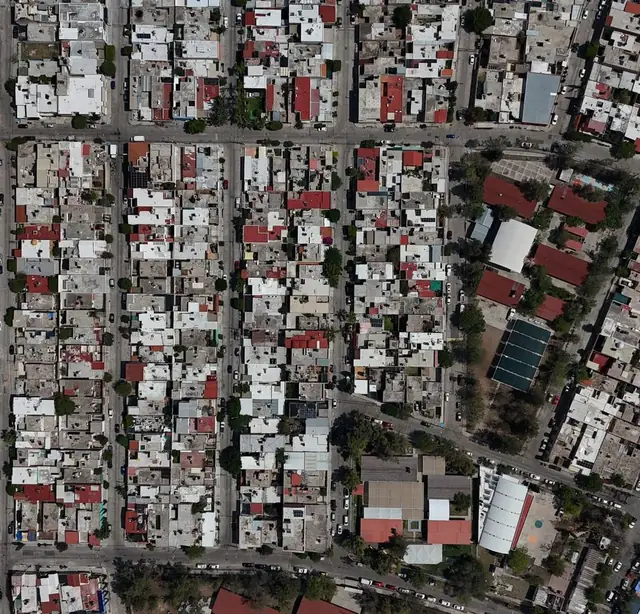
The same data at three scales. Pick the one the question is being asked at.

The tract number is the answer, and you can see which side of the line you are on
When a geocode is disputed, the question is never “where is this building” — it is “which tract is it in”. Drawing the tract boundaries over a familiar street and satellite base makes that a thing you look at rather than a number you take on trust. The boundaries are the same ones the FFIEC Geocoding/Mapping System draws, so a tract you check here is the tract an examiner sees.
- Census tract boundaries and numbers as a toggleable layer over map or satellite view.
- Address and coordinate markers so you can check a street address or a raw lat/long.
- Street-level zoom for verifying one address, regional zoom for the pattern.

The fastest way to sanity-check one record
Batch geocoding is right the overwhelming majority of the time, which is exactly why the exceptions are hard to notice. Plotting a single application from its record — one click, no export — turns “this address looks odd” into a yes or a no.
- Straight from the record in Data Manager, not from a file you produced for the purpose.
- Boundaries drawn around it so a placement a block outside the expected tract is obvious.
- Same engine as the batch pass — what you see is what was assigned.

This is the map that goes in the file
Every CRA exam wants the assessment area drawn and its tracts shaded by income. Institutions without mapping build it by hand, from a county outline and a spreadsheet, every cycle. Here it is a generated output of data you already hold, so it is reproducible next year and the year after.
- FDIC specification income shading, so it does not need explaining to an examiner.
- Nineteen layers available tracts, MSA/MDs, counties, districts, ZIPs, roads, water and more.
- Regenerated, not redrawn when a boundary or an income band changes.
- 39years, since 1987
- 19map layers
- 98%+geocoding accuracy
- Hundredsof institutions filing
Mapping Features
Cartography is the one part of compliance work that has to be looked at rather than read about, so see census tract shading and assessment area maps in action.
Style every line, point and polygon
Line style, width and colour for boundaries; shape, size, colour and label for data points representing loans, deposits or geographies; and polygon fill by any LAR or demographic field. Line, point and polygon property screenshots.
Single application view
Plot one HMDA application's exact location against the boundaries around it, the fastest way to sanity-check a single geocode.
Official FDIC CRA assessment area maps
Income-shaded census tracts meeting FDIC specification, generated exam-ready rather than assembled by hand.
Integrated Google Maps
Zoom to street level to verify an address, or out for the regional pattern, in map, satellite or hybrid view — familiar controls with compliance data layered on top.
Lending activity, colour-coded
Map originations, purchases and denials by action taken, loan purpose or any LAR field, sized by loan amount, and overlay against demographic characteristics to see where penetration is thin.
Fair Lending risk, mapped
Plot denial rates, pricing patterns and Comply Fair Lending's own regression residuals geographically, so outlier applications cluster visibly rather than sitting in a spreadsheet row.
Peer and market analysis
Overlay peer institution lending activity against your own to see where competitors concentrate and where your institution might expand.
Demographic and branch overlays
Income, racial composition, population density and housing age by tract, or branch locations sized by FDIC deposit volume — layered against your lending data, not viewed separately from it. For background on how census tract boundaries and demographics are set, see our explainer.
Custom layers, toggled on and off
Combine loan data, branch locations, demographics and assessment area boundaries in one map, and switch layers on or off to see the relationship a table alone would hide.
Demographic overlays for market evaluation
The layers Comply Mapping draws over your lending data are the ones a market evaluation turns on: census tract boundaries and numbers, tract income level, racial composition, population density and housing age, branch locations sized by FDIC deposit volume, and the assessment area outline itself. Any of them can be switched on or off against the same map. To check how a single tract is classified, the free CRA tract income level classifier applies the regulation's 50, 80 and 120 percent lines to its median family income.
Evaluating a market before a CRA exam is mostly one question asked of those layers: where is the lending thin relative to the people who live there. Shade the tracts by income or racial composition, plot your originations and denials on top, and the gaps stop being a column of percentages and become a part of the map with nothing in it. Add the peer layer and the same picture answers whether a thin area is a market nobody serves or a market everybody else does. Add branches and it answers whether the thin area is one you have no presence in.
That output is the same data behind the FDIC-specification assessment area map shown above. The income shading an examiner reads in the exam file is the income shading you evaluated the market with, not a second picture produced separately for the occasion. To check one tract against the public record, the FFIEC Geocoding/Mapping System returns the same tract and income designation one address at a time.
Where do the tract boundaries and demographic layers come from?
Comply Mapping draws on three public datasets. Census tract boundaries come from the tract shapefiles the U.S. Census Bureau publishes for each census, and reporting years from 2022 on use the 2020 tract geography. Tract income level, racial composition and the other demographic layers come from the FFIEC Census File, which the FFIEC publishes every year using American Community Survey five-year estimates. RATA loads each new file when the FFIEC releases it, usually in July, and Comply applies it to the whole reporting year. Branch deposit sizes come from the FDIC’s Summary of Deposits.
Frequently Asked Questions
The four we are asked most often about Mapping, answered properly rather than in a sentence. If yours is not here, it is a better use of your time to ask a person.
Ask us directlyWhat can I map with Comply Mapping software?
Comply Mapping visualizes loan applications, originations, denials, CRA assessment areas, branch and ATM locations, census tract demographics, peer institution lending activity, and fair lending analysis results. Map any combination of LAR data, geographic boundaries, and demographic characteristics to identify patterns and assess performance.
Can Comply Mapping create official CRA assessment area maps?
Yes, Comply Mapping generates official CRA assessment area maps that meet FDIC specifications. Define assessment areas by census tracts, counties, or MSAs. Shade tracts by income characteristics, include branch locations, and produce examination-ready maps that demonstrate your institution's community presence.
Does mapping software integrate with Google Maps?
Yes, Comply Mapping includes Google Maps integration for interactive navigation. Zoom to street-level detail to verify addresses or zoom out for regional patterns. Switch between map, satellite, and hybrid views. The integration provides familiar controls while adding compliance-specific data layers.
Can I use mapping for fair lending and redlining analysis?
Yes, and mapping is where a redlining pattern is actually seen rather than inferred from a table. Visualize denial rates, pricing patterns and approval disparities across geographic areas, shade majority-minority census tracts, and map lending patterns to test for redlining exposure inside and outside the assessment area. Map regression residuals from Comply Fair Lending to see where outlier applications cluster.
Can we run Comply Mapping without installing it?
Yes. RATA Hosted Services runs every Comply module, including Mapping, on Microsoft Azure. RATA installs and configures it, maintains the database with daily backups, and applies updates as they ship. Your team signs in from a browser.
Comply Mapping vs Manual Mapping Methods
See how Comply Mapping simplifies geographic analysis
| Task | With Comply Mapping | Manual Mapping |
|---|---|---|
| CRA Assessment Area Maps | Automatic generation of official FDIC-compliant CRA maps. Define areas, shade by income, add branches - done in minutes. | Use GIS software like ArcGIS or QGIS. Requires specialized training, manual tract selection, manual shading, hours of work. |
| Lending Activity Visualization | One-click mapping of loan originations, denials, or any LAR data. Color-code and size data points by any field. | Export data to Excel, manually geocode addresses, import to mapping tool, configure layers. Complex multi-step process. |
| Census Tract Boundaries | All US census tracts built-in and automatically updated with each census. Instant access to current and historical boundaries. | Download TIGER shapefiles from Census Bureau, convert formats, load into GIS software, manage multiple file versions. |
| Demographic Overlays | Integrated demographic data for all census tracts. Shade by income, race, population, or any demographic characteristic instantly. | Download separate demographic files, join to geographic boundaries, calculate percentages, create manual legends and color scales. |
| Fair Lending Heat Maps | Map denial rates, pricing disparities, or regression residuals directly from Comply Fair Lending with visual risk indicators. | Export statistical results, manually calculate rates by geography, import to mapping tool, manually configure color gradients. |
| Interactive Navigation | Google Maps integration with familiar zoom, pan, street view. Switch between map and satellite views instantly. | Static maps only, or pay for expensive enterprise GIS software. Limited interactivity, steep learning curve. |
| Export & Presentation | Export to high-resolution images, PDFs, or print-ready formats. Perfect for board presentations and examiner reviews. | Export from GIS software, adjust in image editor, format for presentation. Multiple steps, inconsistent quality. |
| Time to Create Maps | Minutes for professional exam-ready maps | Hours to days with specialized GIS tools |
See Comply Mapping in Action - Schedule Your Demo
Quoting this page? Cite it
To cite it: RATA Associates, “HMDA & CRA Mapping Software: Assessment Areas and Redlining Risk,” https://rataassociates.com/comply-mapping/.
What Our Customers Say
Trusted by financial institutions nationwide for compliance excellence
“I wanted to let you know that RATA and Comply is the absolute best!!! My submission is complete and was accomplished in record time. I more than doubled the amount of activity I reported last year and it took me less than half the time. Thank you for being there for us and the industry! You are and always will be number one to me!!!”
“Would highly recommend both the product and the personnel!! Being able to accomplish what I did in such a short period of time is a testimonial to the product's user friendliness as well as the support I received from the great folks at RATA. Could not have done it without them!!!”
“RATA Associates is one of the greatest companies I've known. It's been a pleasure adding my 2 cents to RATA Comply improvements (Fair Lending with Advanced Analysis/Regression option) that benefit everyone and help many companies in the mortgage industry to stay compliant.”


