
Update 3/1/2019 - Comply 365: Submission Edition
New 3/1/2019: Missing LEI in Transmittal Causes Submission Error on Portal -
It is very important to ensure that the LEI field is populated in the reporting entity transmittal properties for all HMDA reporting entities that you wish to submit for 2018 and beyond. If you create your submission file without first populating the LEI field, you will receive an error upon upload to the platform stating "In order to access the HMDA Platform, each of your institutions must have a Legal Entity Identifier (LEI)", and your submission will be rejected.
If you experience this error when uploading your file, you will need to unlock your reporting entity, add your LEI to the properties, and then go through the submission wizard again, selecting the option to reset and recreate. Before uploading the corrected file, be sure to follow the steps needed to clear your browser cache to ensure that the upload goes through.
In the next release of Comply, the LEI is a required field and Comply will be checking for it during the Submission Sentry as a double check. This will not be an issue going forward.
New 2/27/2019: Updating Official Service Areas for CRA Submissions
CRA reporters should make certain that they have added the 2018 geographies to any geographic areas that are designated as Official Service Areas (OSA) in their reporting entity properties. If you do not copy the geography forward then no OSA information will be included in the CRA submission file. You can easily copy forward the 2017 geography to 2018 by using the copy function in the Geographic Area wizard located above the list of available years on the left side of the Area Selection tab.
Call RATA (407-831-7282) if you have any questions about your Assessment areas or if you would like us to walk you through double checking them.
Update 2/27/2019: Reset Submission Files in the CFPB Portal
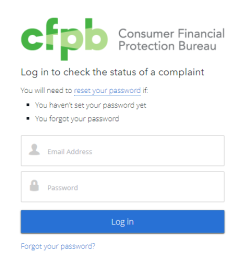 |
Several of our clients have experienced issues when trying to re-submit their submission file. The submission portal allows you to resubmit your data, and even though it looks like the file is being accepted, the data is not actually changing. The CFPB has to manually delete the data in order for an institution to resubmit; the issue is with the portal and the CFPB is aware of the problem. No formal statement has been released from the CFPB so the solution for those that are experiencing this issue is to contact the CFPB's Consumer Response team directly at hmdahelp@cfpb.gov.
A customer sent an email to the hmdahelp@cfpb.gov email address inquiring why their resubmission file was not overwriting the existing one. They were told to do the following which resubmitted their file successfully:
- Refresh the web browser
- Clear the web browser cache(click here for instructions)
- Log out of the submission portal
- Log back in and try again
Submission Success
 |
With a few days left until the actual submission deadline, team RATA wanted to share some last-minute information that could help you with your submission. This information has been compiled from actual user experiences. You may or may not run into these things, but they are definitely good to be aware of.
The good news first. We have already had multiple clients submit both HMDA and CRA data that have been 100% successful! So, we at least know that with standard data situations the software is handling everything correctly. Some of the minor obstacles that other clients are running into along the way are either Comply-related or actual CFPB-portal related, but all have workarounds or fairly easy solutions.
This guide will help identify those sometimes-subtle or obscure obstacles and help you circumvent them. We will let you know via the Start Page if anything else major comes up, be we are not anticipating it. Good luck with your submission and don't hesitate to call if you have any questions or difficulties along the way.
Keep in mind that all submissions should be submitted by 5:00pm EST this Friday, March 1st. If you have a large submission, we recommend you try to upload a day or two early, just in case you run into trouble with Comply or the submission portal itself. Some clients have said larger submissions can take hours both in Comply and during the upload to the portal, so you don't want to wait until the last minute. In Comply, you may want to make sure your IT department has run Database Maintenance before you begin for maximum processing speed.
Good luck to all.
Obscure CRA Submission Issue with CDVs in HMDA Data
 |
When creating their CRA submission file, one of our clients noticed a discrepancy in the total number of Community Development loans being submitted as compared with the number of loans in the system. There is an obscure bug in the way we are linking data between HMDA and CRA which can cause extra copies of some of these loans during the submission process. There is a screen that comes up during the submission that tells you how many CDV loans will be submitted along with the dollar amount. It also has a place to key numbers for extra CDV loans. PLEASE MAKE SURE THE NUMBER OF CDV LOANS ON THIS SCREEN IS WHAT YOU ARE EXPECTING. IF NOT, STOP AND CALL RATA.
In this customer's case they had 64 CDV loans and Comply was reporting 68. After investigating this situation, we determined extra loans were being created if a HMDA loan was marked as CDV and it had more than one quality edit. It would submit properly if there were no edits or just one edit, however, it would duplicate the loan count if there were 2 or more edits. We are fixing this for future versions and submissions, but we will have to help you do it for this submission. It is simple, but you need to keep your eye out for the counts.
Which Internet Browser to Use for HMDA Submission
 |
Some of our clients have experienced issues when using Internet Explorer to upload their submission file to the HMDA Portal. They received a message suggesting that they use Chrome instead, so you should consider using this browser when uploading.
Over-Reporting of Quality Edits Q615.1 and Q616.1
 |
In January, we received word from a couple of clients that the CFPB submission portal was flagging the Q615.1 and Q616.1 quality edits when either the Origination Charges or Discount Points were reported as blank. While our interpretation of the edit rule did not agree with this action, in order to match what a client might get upon submission, we modified the edits in Comply to flag in the same manner. In the interim, it appears that the CFPB addressed this mistake on the CFPB submission portal and these edits no longer flag for that condition. We felt it more important to match the edits at the time and even now we felt over-flagging the edits was better than underreporting them. We have subsequently rolled back the change in the next Comply release so that it reports the edits correctly.
The Record Counter in the CRA submission Shows 0 records
 |
With CRA data, you don't actually submit data in a LAR format, you submit the data in aggregate counts by census tract and Assessment Areas by area description. So, the count of how many records are being submitted is not overly useful except to compare to the number of records received by the FFIEC. There is an issue with a counter in the CRA submission wizard that is incorrectly showing 0 records submitted, even though the submission file is correct and all records are properly accounted for. The issue does not affect the actual submission file at all, simply the counter in the wizard, and can be safely ignored. If you have concerns, you can open a non-encrypted copy of the submission file in notepad to see how many lines are being submitted. Optionally you can send the submission to RATA and we can open it and tell you the count. Either way, just call us and we can walk you through the process if you are concerned about the count.
Less than Five Digit ZIP Code Edits
 |
Comply is not flagging the V624 edit when a ZIP Code is less than five digits in v18.01 and earlier. This edit has been added in version 18.1 which is available on the support site. If you are running an earlier version, you will need to run supplemental edits in the form of a custom edit. If you have this situation it must be fixed prior to submission. The RATA Comply 2018 year-end submission guide explains in detail how to identify these ZIP codes. Once your ZIP codes are fixed you must then make sure you re-geocode any applications that are no longer geocoded to ensure you have the highest quality geocodes prior to submission.
2019 HMDA Edit Changes
 |
Although unrelated to the 2018 submissions, we also wanted to take a moment to announce the edit changes and additions for the 2019 reporting year. These changes will be included in the next release of the Comply software to be released in the beginning of April. These edit changes won't affect the importing of field values, but you will get edits on the new values until the update has been released and installed. Users should not attempt to make any corrections to their 2019 data in relation to the following edits that have been revised:
- V677.1 (revised to permit the reporting of an interest rate of 0)
- V696.2 (revised to permit new values for Automated Underwriting System Results)
- V699.1 (revised to permit new values for Automated Underwriting System Results)
- Q632 (revised to permit new values for Automated Underwriting System Results)
- Q633 (revised to permit new values for Automated Underwriting System Results)
- Q643 (revised to permit new values for Automated Underwriting System Results)
- Q644 (revised to permit new values for Automated Underwriting System Results)
Cartoon


- California's New Fair Lending Exam Law: What State-Chartered Banks, Credit Unions and Mortgage Licensees Should Have Ready
- How to Benchmark Your CRA and HMDA Lending Against Peer Data
- HMDA vs CRA vs Section 1071: What Each Rule Collects and Who Has to File
- Fair Lending Regression Analysis: What It Controls For and How to Explain a Pricing Disparity
- 2026 HMDA Data: Your Filing Checklist for the March 1, 2027 Deadline
- 2018 Edits Finally Released by CFPB
- 2018 HMDA Changes - What's the Word?
- RATA's Customer Care Campaign
- HMDA Plus: What It Actually Changed in the LAR Workflow
- How to Fix the 10 Most Common HMDA Edit Check Errors
- CFPB and DOJ Settle Redlining Claims Against Non-Depository Mortgage Companies Before Change in Administration
- How to Evaluate Fair Lending and CRA Software: What to Test Before You Sign
- What a Fair Lending Exam Actually Asks For
- Fair Servicing: What Examiners Test in Servicing Data, and How to Test It First
- What Actually Counts as a Small Business Loan Under Section 1071
- Section 1071 in 2026: What Lenders Need to Know About Small Business Lending Data

