
View Definitions - Form, List and now Dashboard
.png.webp)
Since the release of Comply 17, users have had a completely new way to create custom List view and Form view definitions. In previous versions of Comply users were able to create only custom List views and that was always very helpful for looking at data different ways. When trying to figure out the best way to deal with the 2018 field changes we expanded the custom views to also include Form views. By doing this, users can easily switch between the Comply Editor (Classic) view (which is for years 2017 and prior) and the Comply Editor view (2018 and later). Users can also create their own views, such as one page views, limited field views, rearranged views, etc. With Comply 17.1 users can actually integrate field-level charts into these views as well.

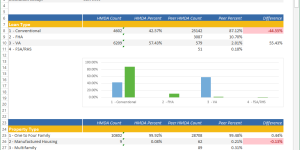
The newest addition to our view definitions (again with 17.1) is that users can create custom Dashboard views. This great new feature allows users to set up views of key numbers in a Reporting Entity that they would like to see in a snapshot. Once in these views, you can actually filter from the Dashboards or move around to different entities to get instant feedback. We have included a couple of sample system Dashboard views to give you an idea of what you can do, but these are only scratching the surface of what can be done. You control the size and shape of the area, whether you want filter counts or field charts, colors, sizes, etc… We look forward to seeing what you do with this new tool. If you need help we can guide you in designing some dashboards if you have ideas. Although it is very powerful now, we will be expanding this tool even more based on your feedback.
Happy view creating.
More Examples
(click to see enlarged versions)
.png)
.png)
.png)
.png)

- California's New Fair Lending Exam Law: What State-Chartered Banks, Credit Unions and Mortgage Licensees Should Have Ready
- How to Benchmark Your CRA and HMDA Lending Against Peer Data
- HMDA vs CRA vs Section 1071: What Each Rule Collects and Who Has to File
- Fair Lending Regression Analysis: What It Controls For and How to Explain a Pricing Disparity
- 2026 HMDA Data: Your Filing Checklist for the March 1, 2027 Deadline
- HMDA Plus: What It Actually Changed in the LAR Workflow
- How to Fix the 10 Most Common HMDA Edit Check Errors
- CFPB and DOJ Settle Redlining Claims Against Non-Depository Mortgage Companies Before Change in Administration
- How to Evaluate Fair Lending and CRA Software: What to Test Before You Sign
- What a Fair Lending Exam Actually Asks For
- Fair Servicing: What Examiners Test in Servicing Data, and How to Test It First
- What Actually Counts as a Small Business Loan Under Section 1071
- Section 1071 in 2026: What Lenders Need to Know About Small Business Lending Data

